How it works
A mileage tracker that works without your phone
DashMateAI logs your trips from a small reader in your car's OBD-II port. It runs on the car's power and has its own GPS and cellular connection, so your phone can be off, dead or at home and the miles still land in your log.
See the kit and priceWhy phone apps miss trips
- A phone tracker runs in the background. When the battery gets low, the phone can pause it to save power.
- Some need you to press start. Forget once and that drive is gone.
- If the phone is off, dead or left at home, nothing is doing the logging.
- Tracking all day uses the battery you need for your driver apps.
Logging from the car instead
Starts with the engine
A trip begins when the engine starts and ends when it stops. With the reader there is no start or stop button.
Its own connection
The reader has its own SIM and GPS. Trips upload without your phone and use none of its battery.
Runs on the car's power
Nothing to charge. It stays plugged in under the steering wheel.
Swipe to sort
Swipe right for Business, left for Personal.
Four steps and you're driving
The whole thing takes a couple of minutes, once, in your driveway. No tools and no wiring.
Download the app
Get DashMateAI free from the App Store or Google Play.

DashMateAI
Free to download
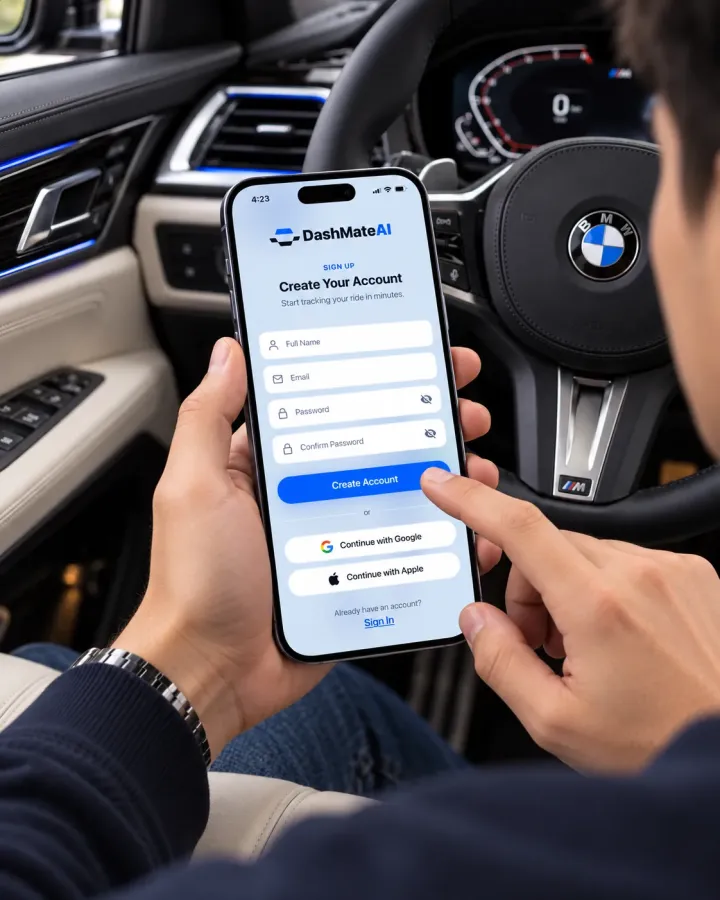
Create your account
Sign up with the email you paid with. That one account covers the app, your portal and your billing.
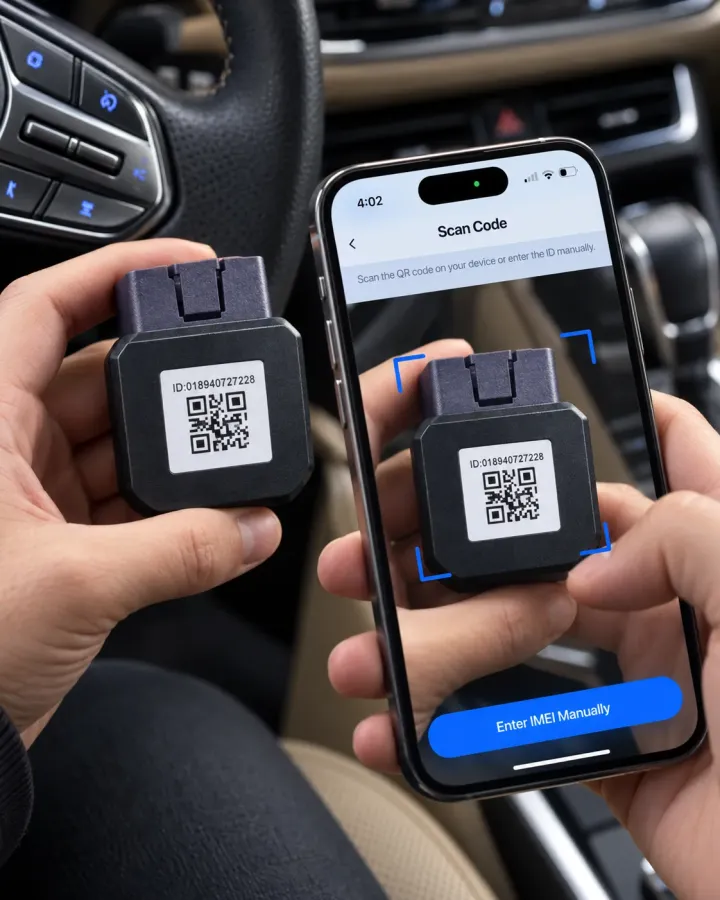
Add your device
Tap Add device and scan the QR code that comes with your device. Then choose monthly or yearly: a secure page opens and you add a card. A new device gets its first month free.
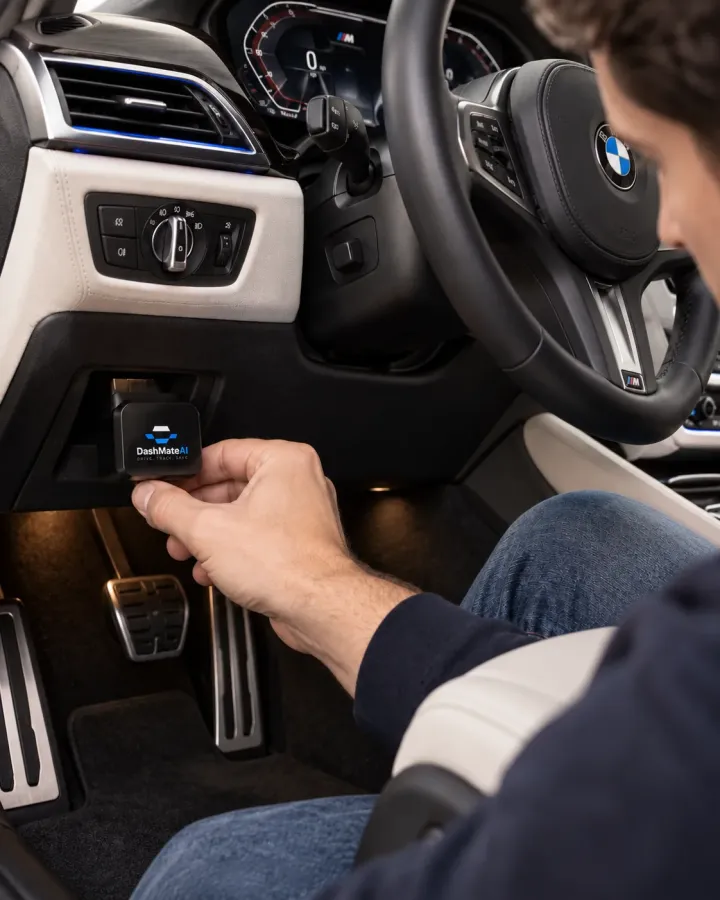
Plug it in
Find the OBD-II port just below the steering wheel and push the reader in until it clicks. It starts logging on your next drive.
The whole thing, start to finish
A few minutes in a driveway. Watch it once before your device arrives and there is nothing left to work out when it does.
The video loads from YouTube only when you press play. Nothing is requested from Google until you do.
The app speaks ten languages
Drivers here come from everywhere. Nobody should have to read their own money in a second language, so the whole app is translated.
Pick yours in Settings. The app does not follow your phone — it opens in English until you choose, and then it stays chosen.
Your choice follows your account, so a new phone does not put you back into a language you do not read.
Arabic reads right to left, and the whole layout flips with it.
Every screen is translated, not just the menus.
Warranty and privacy
One-year warranty
The device is warranted against manufacturing defects for one year from delivery. If it stops working through no fault of your own, we replace it free. The warranty does not cover loss, theft, or damage from misuse.
Your data
The reader reports where the car goes, so each trip has its route. The app does not read your phone's location. We don't sell your data.
Read the privacy policyQuestions drivers ask
Yes. The reader plugs into the OBD-II port, which is standard on US cars from 1996 on. It has its own GPS and cellular connection and counts the miles itself. You enter your dash odometer once.
No. The reader has its own GPS and cellular connection and runs on the car's power. The app does not read your phone's location.
A couple of minutes, once: download the app, create your account, scan the code, plug the reader in. No tools and no wiring.
Not on fully electric ones. Gas, hybrid and diesel cars with an OBD-II port work.
Under the dash, usually just below the steering wheel. US cars from 1996 on have one.
You. If you share a car with another driver, they see that car's trips too. We don't sell drivers' data, and we don't use your trips or location for advertising.